
Shopify is one of the best-known eCommerce platforms on the market. It powers everything from tiny side-project stores to multi-million-dollar brands and, for many merchants, it’s the first serious step beyond PayPal buttons and basic website builders.
But popularity alone isn’t a reason to stay on a platform-or to move your store there. If you’re reading this, you’re probably asking a more practical question:
“What does Shopify actually do well, where does it fall short, and is it still the right foundation for my store?”
This review walks through Shopify’s core functionality, its real-world benefits, and the drawbacks that matter most once your store stops being a hobby and starts being part of your business.
What Shopify Is (and How It Works in Practice)

Shopify is a hosted eCommerce platform. You don’t install software on your own server or manage low-level infrastructure. Instead, you create an account in your browser, choose or customize a theme, configure your store settings, and Shopify hosts everything for you.
Day to day, that means you log into an admin panel that puts store operations front and center: products, orders, customers, analytics, marketing, and discounts. Content pages and a blog are there, but they orbit the store rather than define it.
The basic workflow looks like this:
- You add products with images, prices, descriptions and variants.
- You organize them into collections so visitors can browse logically.
- You set up payments, shipping, and taxes.
- You pick a theme and adjust the storefront to match your brand.
- You connect any needed apps (reviews, email, subscriptions, etc.).
From that point on, your main job in Shopify is less “edit a website” and more “run a shop,” which is exactly what many merchants want.
Core Functionality: What Shopify Gives You Out of the Box
Let’s break down Shopify’s main functional areas and what they actually look like in real life.
Product and Catalog Management
Shopify lets you create a structured catalog rather than just a list of items. You can define products with multiple images and detailed descriptions, then add variants for things like size, color, or material, each with its own SKU and stock level. Inventory is tracked automatically as orders are placed.
Collections help you organize that catalog into meaningful groups: seasonal ranges, product categories, sale items, or any other logical slice that fits your store. You can build collections by hand or set up rules so that products with certain tags, prices, or attributes are included automatically. That becomes extremely useful once your catalog grows beyond a couple of pages.
Storefront Themes and Design

On the front end, Shopify uses themes designed specifically for eCommerce. Each theme comes with templates for key pages-homepage, product pages, collections, cart, and content pages-and typically includes configurable sections that you can reorder, show or hide, and fill with your own content.
You control global styles like colors and typography, edit copy and images, and configure how products and collections are displayed. You can get fairly far without touching code, and if you do want custom layouts or deeper changes, you can modify theme code or hire a developer who knows Shopify’s Liquid templating language.
The end result is a storefront that’s generally optimized for browsing and buying, not just for looking pretty.
Checkout, Payments and Orders
Shopify’s checkout is one of its strongest assets. It’s standardized, secure, and constantly tested across countless stores. You can brand it to match your site and adjust some elements, but the underlying flow is tuned for conversion: add to cart, review, enter shipping details, choose a method, pay.
For payments, you can use Shopify Payments (where available) or connect other gateways such as PayPal and region-specific processors. Orders appear in a unified view where you can see what was purchased, where it’s going, and how it should be fulfilled. Refunds, partial refunds, and order edits are handled inside the same interface.
Shipping and tax settings require some thought, but once configured they’re applied consistently at checkout. For small stores, you can manage everything manually; as you grow, you can integrate label printing, fulfillment services, and more complex shipping rules via apps.
Apps, Integrations and Extensibility
Out of the box, Shopify covers the basics. The real power comes from its app ecosystem.
Need product reviews, a loyalty program, or a referral system? There are multiple apps for that. Want to sell subscriptions or memberships? You can bolt that on. Looking to automate email flows, SMS campaigns, or post-purchase upsells? The app store has specialized tools for those scenarios too.
This means you can gradually assemble a toolset that matches your exact business model instead of trying to force your process into a one-size-fits-all platform. You pay for that flexibility in subscription fees for selected apps, but in return you get features that would be extremely expensive to build in-house.
Content, Blogging and Basic CMS Features
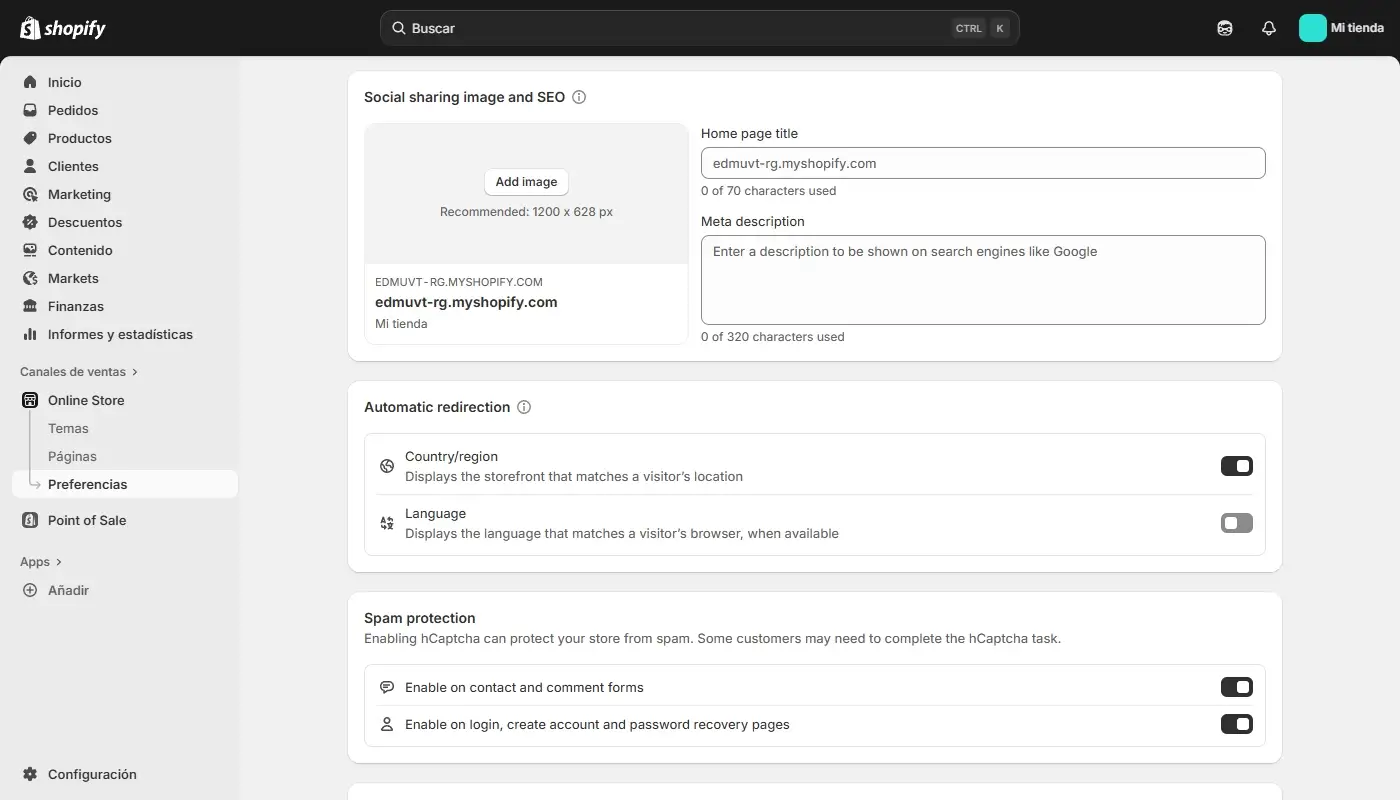
Shopify includes enough content tools to support a typical commerce site: informational pages like About, Contact, FAQs; simple landing pages; and a blog for articles and updates. You can structure posts with tags, create categories using navigation, and integrate them into your menu.
Compared to a dedicated CMS, Shopify is not trying to be a full editorial platform. But for most stores that need a blog to support SEO and marketing, its content features are sufficient-especially if you pair them with a good content strategy and internal linking.
Analytics and Reporting
Inside Shopify, you get dashboards and reports that focus on what merchants care about: total sales, sales by channel, average order value, top products, returning vs new customers, and basic conversion metrics. On higher plans, reporting becomes more detailed and customizable.
You can also connect external analytics tools like Google Analytics, advertising pixels, and third-party reporting apps. For many small to mid-sized stores, Shopify’s own analytics are enough for daily decisions; as you grow, you can layer in more advanced tools without leaving the platform.
Hosting, Security, and Maintenance
Because Shopify is hosted, you don’t manage servers, databases, or core software updates. SSL is handled for you, infrastructure is scaled by Shopify, and platform-level security patches are applied centrally. That doesn’t remove your responsibility for basic operational hygiene, but it removes an entire class of technical work that often slows down self-hosted solutions.
For merchants who don’t want to think about hosting at all, this is one of Shopify’s main selling points.
Main Benefits: Where Shopify Clearly Shines
Taken together, those features create a platform that’s very attractive for a large segment of online sellers. Here are the benefits that tend to matter most.
1. Store-Centric Design and Workflow
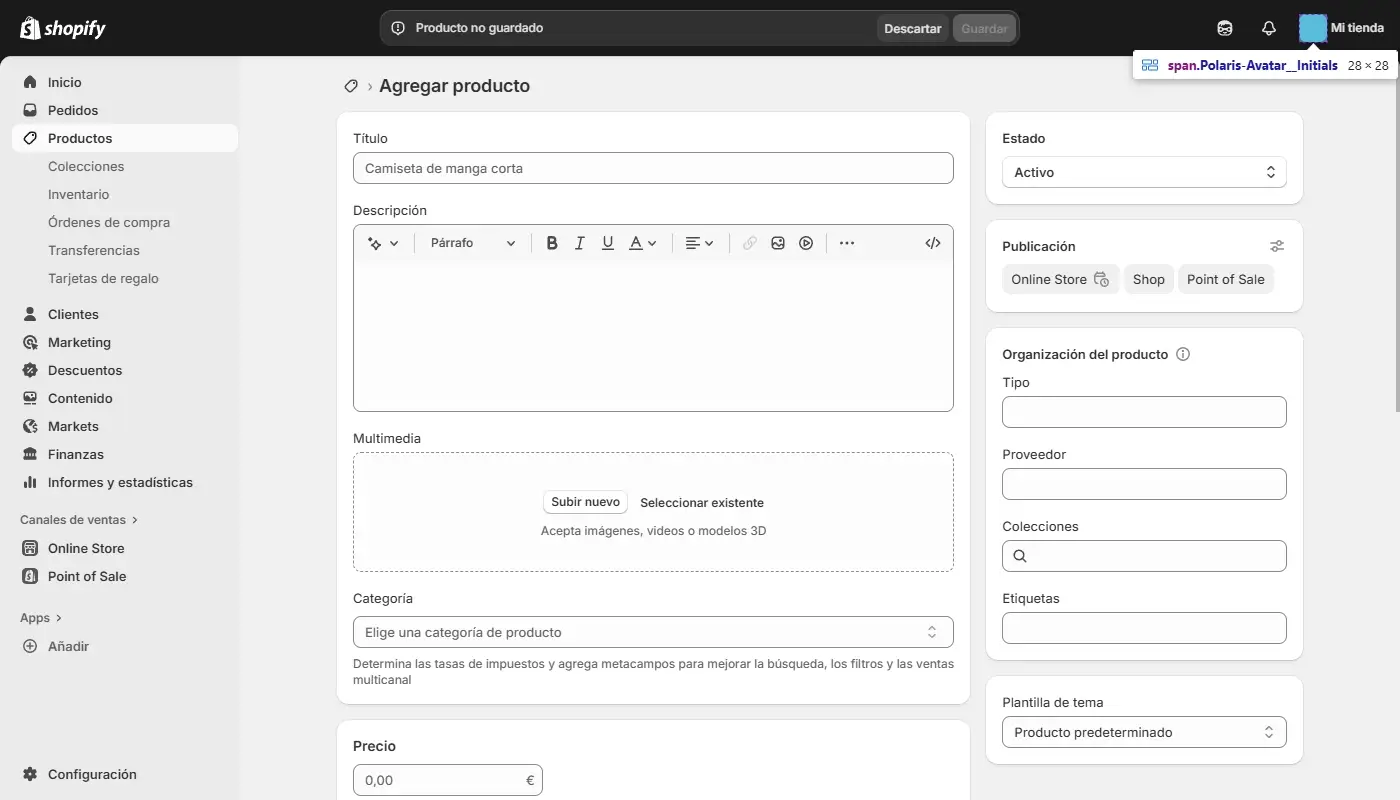
Everything in Shopify is built around the idea that your website is a store first. The admin, the theme structure, the analytics, and the app ecosystem all reinforce that. If your main goal is to sell products and run a retail operation, this alignment makes everyday work simpler and more coherent than trying to bend a general website builder into a store system.
2. Mature eCommerce Features
Shopify has been focused on eCommerce for years, and it shows. Variant handling, inventory, discounts, gift cards, basic multi-channel options, tax logic, and order management are all well-thought-through. You don’t have to invent your own processes; you plug into patterns that thousands of stores already use.
3. Rich Ecosystem of Apps and Services
Because Shopify is such a popular platform, there’s an entire universe of apps, agencies, and service providers built around it. That means if you want to add a particular function-subscriptions, complex B2B pricing, tailor-made product configurators-there’s a good chance someone has already solved that problem. You choose the app or partner that fits your budget and depth requirements rather than commissioning everything from scratch.
4. Lower Technical Overhead than Self-Hosted Solutions
You don’t need to worry about upgrading core software, patching security vulnerabilities in the eCommerce engine itself, or configuring web servers. That reduction in technical overhead lets small teams focus on merchandising, marketing, and customer service instead of infrastructure.
5. Strong Foundation for Scaling
Shopify is designed to handle growth. Catalogs can expand, order volume can increase, and you can add channels like point-of-sale systems or social selling without changing platforms. You’ll still need to refine your processes and choose tools wisely, but the base is capable of supporting a store that’s significantly larger and busier than when you start.
Key Drawbacks: Where Shopify Can Hold You Back
For all its strengths, Shopify is not the perfect fit for every business. Its limitations tend to show in a few recurring areas.
1. Ongoing Costs and App Dependence
Shopify itself is subscription-based, and many of the more advanced features you’ll want are delivered via paid apps. Each app may be justified-reviews, email automation, subscriptions, shipping optimizations-but over time costs can pile up. If your margins are tight, you can feel like you’re constantly balancing “Do we really need this app?” against “What are we losing without it?”
2. Limited Front-End Freedom Without Development
While the theme editor is flexible, it’s still constrained by how themes are structured and what the editor exposes. If you have very specific layout ideas or want highly custom interactions, you often need developer help and theme code changes. For some brands, that’s a reasonable investment; for others, it feels like an unnecessary barrier compared to more visually freeform builders.
3. Not a True Powerhouse CMS for Complex Content
Shopify’s CMS features are perfectly fine for typical store pages and a supportive blog. If you run a large editorial site, a knowledge base, or multiple complex content types, you may find Shopify’s content structure restrictive. In those cases, pairing Shopify with a dedicated CMS or moving to a more content-oriented platform can be more appropriate.
4. Proprietary Platform and Partial Lock-In
You own your data, but you don’t own the platform. You can export products, customers, and orders, but you can’t simply pick up your entire live store-theme logic, storefront behavior, apps-and drop it into another system. Real migrations involve reconstruction and adaptation. That’s true of most hosted platforms, but it’s still a strategic factor if you care a lot about long-term independence.
5. Opinionated Checkout Customization
Shopify’s checkout is optimized and tested, which is good for conversion, but it’s not infinitely customizable. If you want highly unusual checkout flows or need to embed very specific logic into the core checkout experience, you might feel constrained by what is and isn’t allowed. For most stores, the default flexibility is enough; for some niche models, it can be limiting.
Who Shopify Is Ideal For – and When to Rethink It
Shopify is at its best when:
- Your website is primarily a store, and you want everything organized around that.
- You’re serious about selling online and expect orders and catalog size to grow.
- You want strong infrastructure and a mature app ecosystem rather than building everything yourself.
- You prefer to avoid server management and deep technical maintenance.
It’s less ideal when:
- Your site is content-first and commerce is only a minor component.
- You want full, low-level control of your CMS, hosting, and platform behavior.
- Your brand needs extreme design freedom that you want to manage visually rather than via code.
- Your budget is very tight and recurring app + platform fees significantly eat into margins.
If you recognize yourself in the second group more than the first, Shopify may still work for now-but it’s a sign you should at least evaluate alternatives and think about where you want your site to be in a couple of years.
Top Shopify Replacement Options: Best Platforms to Move Your Site To
Final Thoughts: Is Shopify the Right Long-Term Home for Your Store?
Shopify has earned its place as a leading eCommerce platform by focusing on what online stores genuinely need: a solid product and order system, a trustworthy checkout, a flexible theme layer, and an ecosystem of apps and partners that can carry a store from small beginnings to serious volume.
For many merchants, that combination is exactly what they need-and staying on Shopify, while refining setup and tools, is the right call.
For others, the same traits that make Shopify powerful also introduce friction: rising subscription stacks, limits on design freedom without developers, and a store-first mindset that doesn’t always match content-heavy or brand-driven projects.
The key is to align the platform with the role your website plays in your business, not just with what felt convenient when you started. If your store is central and growing, Shopify remains a strong contender. If your priorities have shifted, it might be time to explore what a more design- or content-oriented platform like Wix can do for you instead.
Need a migration checklist? I’m here to help you with your move.
Comprehensive Wix Review: Full Overview of Its Features and Advantages